Customer and account records
Organise account details, relationship history and product requirements so teams can prepare with useful context.
 CRM AND WORKFLOWS FOR FOODSERVICE
Talk to us
HATCHED ENABLED CRM
Bring account activity, opportunities and claims into one practical view, so teams can see what needs attention and what should happen next.
Discuss Hatched Enabled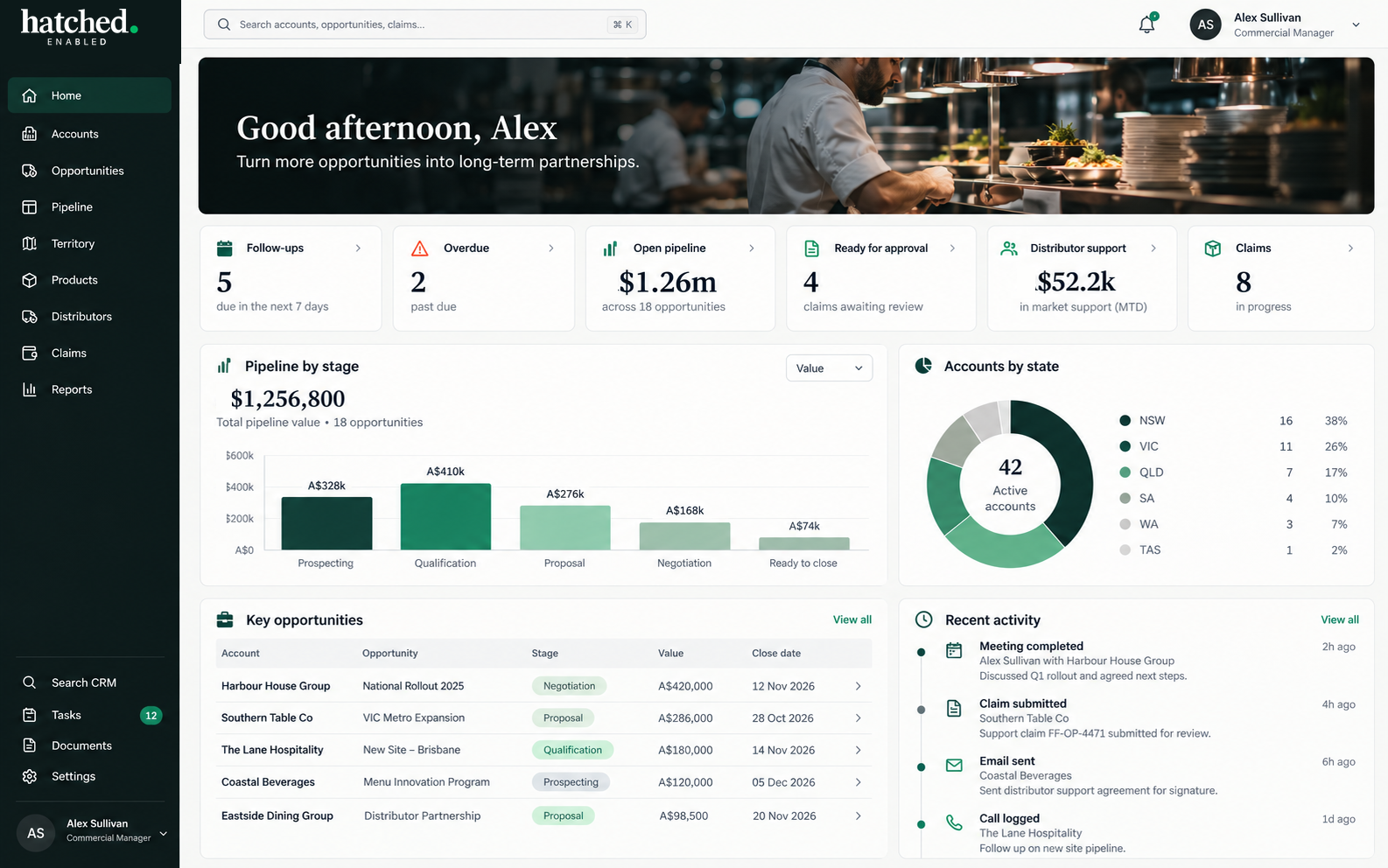
Customer records, product discussions and follow-up often sit across different tools and conversations. Hatched Enabled focuses on making the relevant context easier to find and the next agreed action easier to track.
Organise account details, relationship history and product requirements so teams can prepare with useful context.
Keep relevant meeting notes, correspondence, decisions and commitments connected to the customer relationship.
Clarify ownership, follow-up and visibility across agreed sales processes, account plans and reporting needs.
Use AI where it helps organise information or prepare summaries. People review the output and remain responsible for decisions.
A CUSTOMER VISIT, BETTER PREPARED
Before a visit, a rep can ask Hatchling for a concise account brief: what has changed, where sales may be softening, and what to explore next. A menu review can highlight possible product gaps for the team to check with the customer.
Illustrative example only. Insights depend on available, authorised data and should be checked by your team.
HatchlingAI sales assistant Visit briefPrepared for today's visit · Last visit 5 weeks ago
Product activity and changes to raise during the visit
| Product | Order history | Change to discuss |
|---|---|---|
| Chips | Orders recorded in the account history | Sales down 26% |
| Milk | Last order was 3 weeks ago | Review the gap |
Recent sales are easing across the account
Use the trend as a prompt to ask what has changed in demand, ordering or service.
Start with the change in the account, then make the conversation useful.
Check whether demand, menu changes, pricing, portion sizes, availability or service have shifted. Use the customer's context to agree the right response before discussing a broader range.
Menu items not currently found in the account's order history
Lead with the account's priorities, then test relevant opportunities.
UnderstandAsk what has changed in ordering, sales and customer demand.
CheckConfirm menu, price, portion, service and supply requirements.
ExploreDiscuss only the relevant menu opportunities listed above, and agree a practical next step.
Capture updates to order patterns, menu, range, service or next steps.
End of visit brief · Review with your customer
Illustrative account details and menu observations
Technology can help organise information and make follow-up more visible. Your team checks the context, sets priorities and approves important communications, commitments and commercial decisions.
Food manufacturers, distributors and multi-site foodservice teams can have different account structures and ways of working. The right setup depends on your needs, existing tools and agreed scope.
ACCOUNT SUPPORT
Account records can bring follow-up, opportunities and claims into context for the people managing the customer relationship.
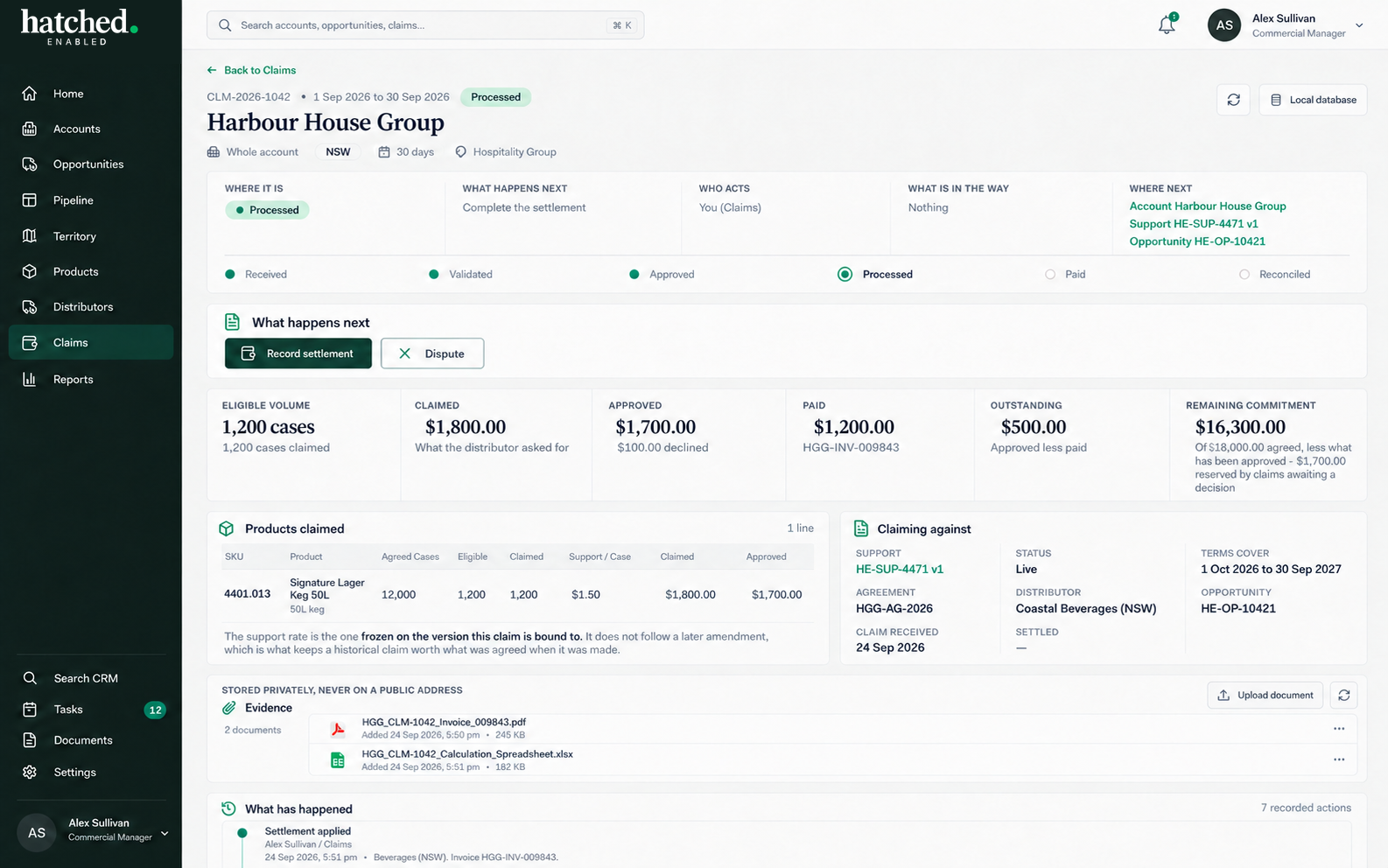
Illustrative Hatched Enabled CRM screens.
Tell us where customer information, sales activity or follow-up is becoming difficult to keep on top of. We can discuss the context and whether Hatched Enabled is a fit.
Discuss Hatched Enabled